Club Calendar
The Club Calendar helps you manage and publish all your club events in one place using the full features of Target Score. It only displays upcoming events.
Create Event
To create an event, click the "Create Event" button in the top right corner or select the date you want to add the event to. You can also click and drag to select multiple dates. A pop-up opens with a short form — that is all you need for a calendar entry:
- Event Name
- Date (add an end date for multi-day events)
- Event Description
- Location, Entry Fee, Contact Email and Discipline — all optional. The entry fee is shown for information only (for example "$10 at the door"); nothing is collected online unless you set up a full event.
Click Create Event and it appears on the calendar straight away. You can hide it from the public calendar with the "Hide event from public" checkbox; hidden events are still reachable by their link.

Need entries, payments, matches or scores?
If the event needs registrations, online payments, squadding, matches or scoring, click Set up a full event just above the Create Event button. The regular Create Event screen opens with everything you have already typed carried over. Once the full event is created, you will be redirected to the event management screen.
You can also do this later: open an existing calendar event, click Set up a full event, and it is upgraded in place — nothing has to be re-entered.

Embed Calendar on Your Website
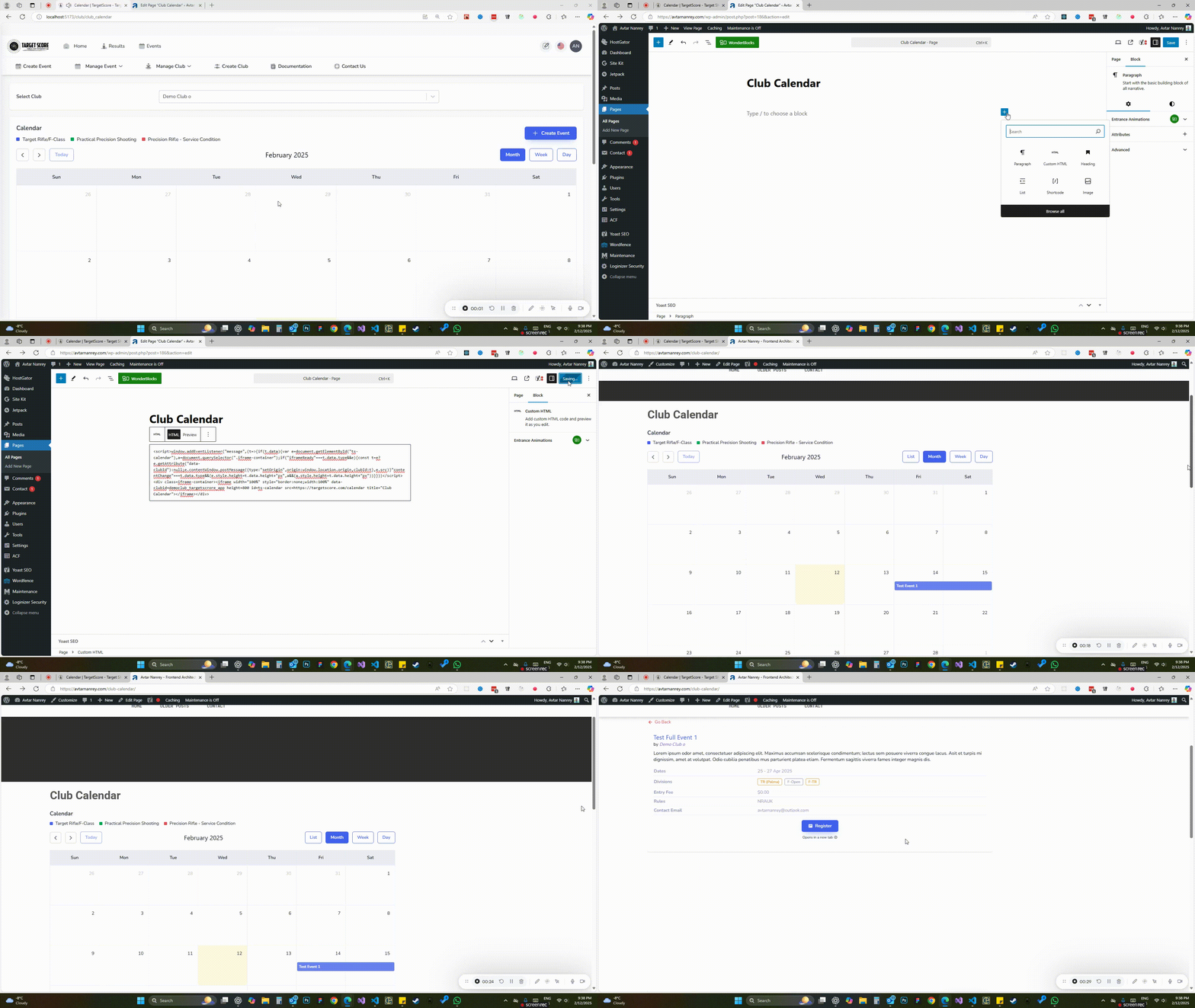
You can embed the calendar on your website without any Target Score branding. Users can browse the calendar and view event information directly on your site. They will only need to visit Target Score when they click the register button for a Full Event.
Get Embed Code
To get the embed code, click the "Get Embed Code" button at the bottom of the calendar. Then, click "Copy Code" and paste it into your website. If you need assistance modifying your website, you can request this service by emailing us at contact@targetscore.com. We charge a minimal fee for the time taken.
Edit Event
To edit an event, click on the event. A pop-up will open with the details where you can make changes and save the updated information. Calendar-only events open the short form; events with entries, matches or scores open the full editor.